You know who is working, where they are and what they finished.
Time, route and photos from every shift record themselves — instead of phone calls, spreadsheets and WhatsApp. You open the panel and see the whole company in the field.
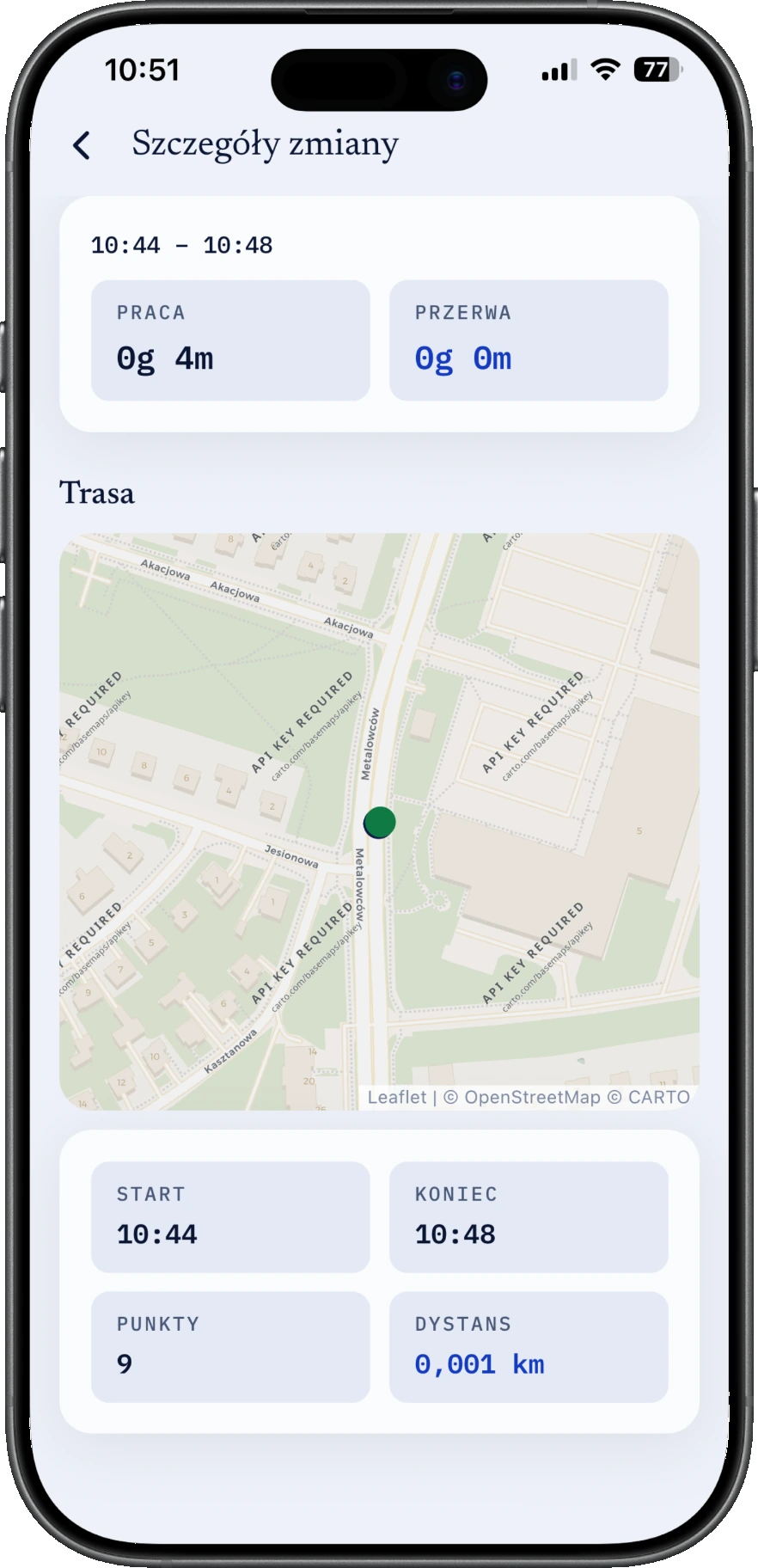
One shift, exactly as the phone recorded it06:41 — 14:07
Shift
On site
Tasks and photos
Nobody typed any of this in.
panel-dev.fluoapp.pl
Who is working right now — no phone calls.A green bar is someone on site at this moment.Hours added up before anyone asks.
Who is working right now — no phone calls.
A green bar is someone on site at this moment.
Hours added up before anyone asks.
This is today, in the coordinator's panel
By the numbers
This already works. Every day.
100field workers with the app in their pocket
80sites run in fluo every single day
5,000shifts recorded from a phone, without calling the coordinator
8,000photos as proof of work — every one taken on site
Time tracking
Live map
Scheduling
Photo-proof tasks
Lone-worker safety & SOS
Geofence presence
Flexible shifts
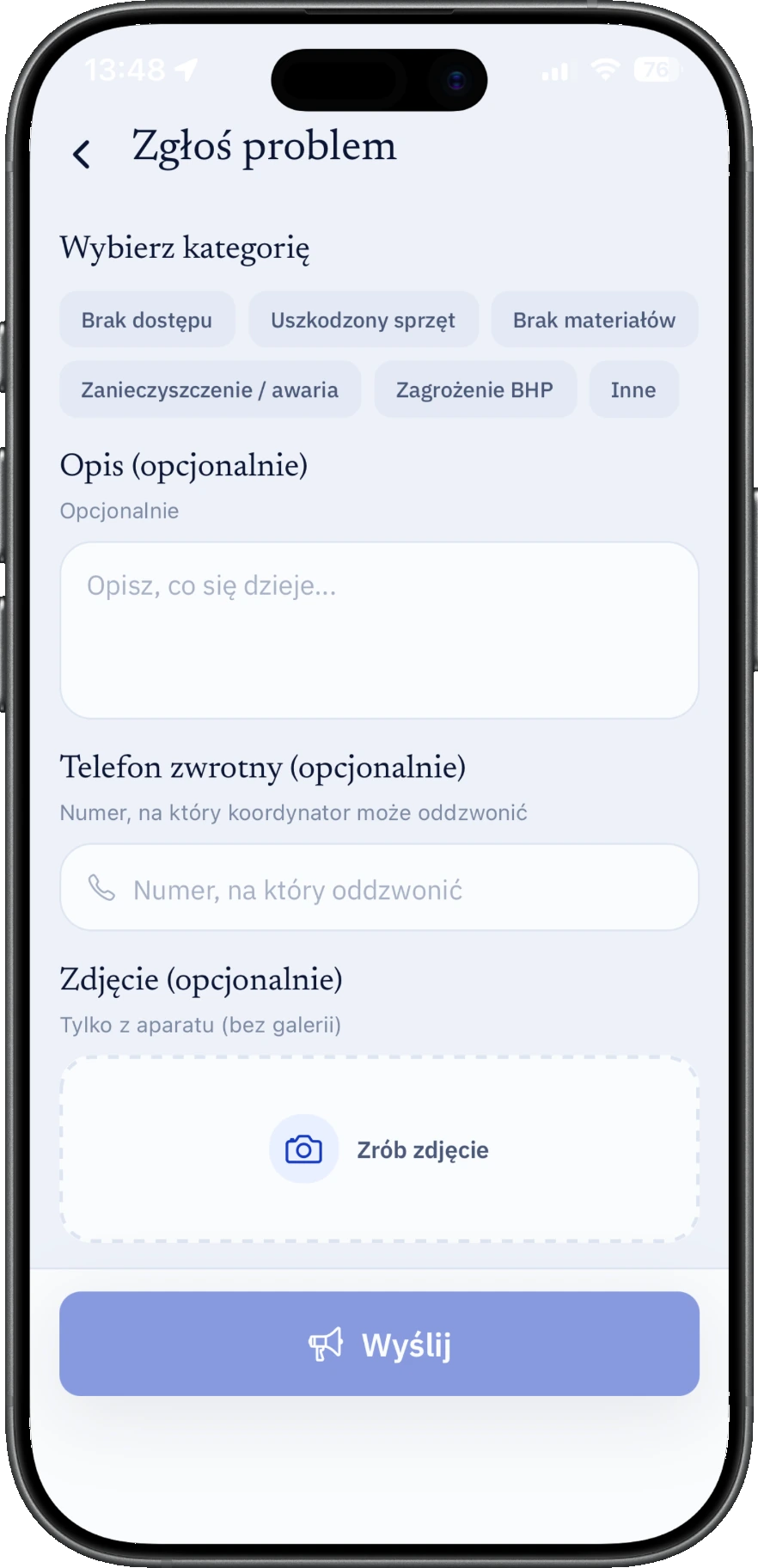
Issue reports
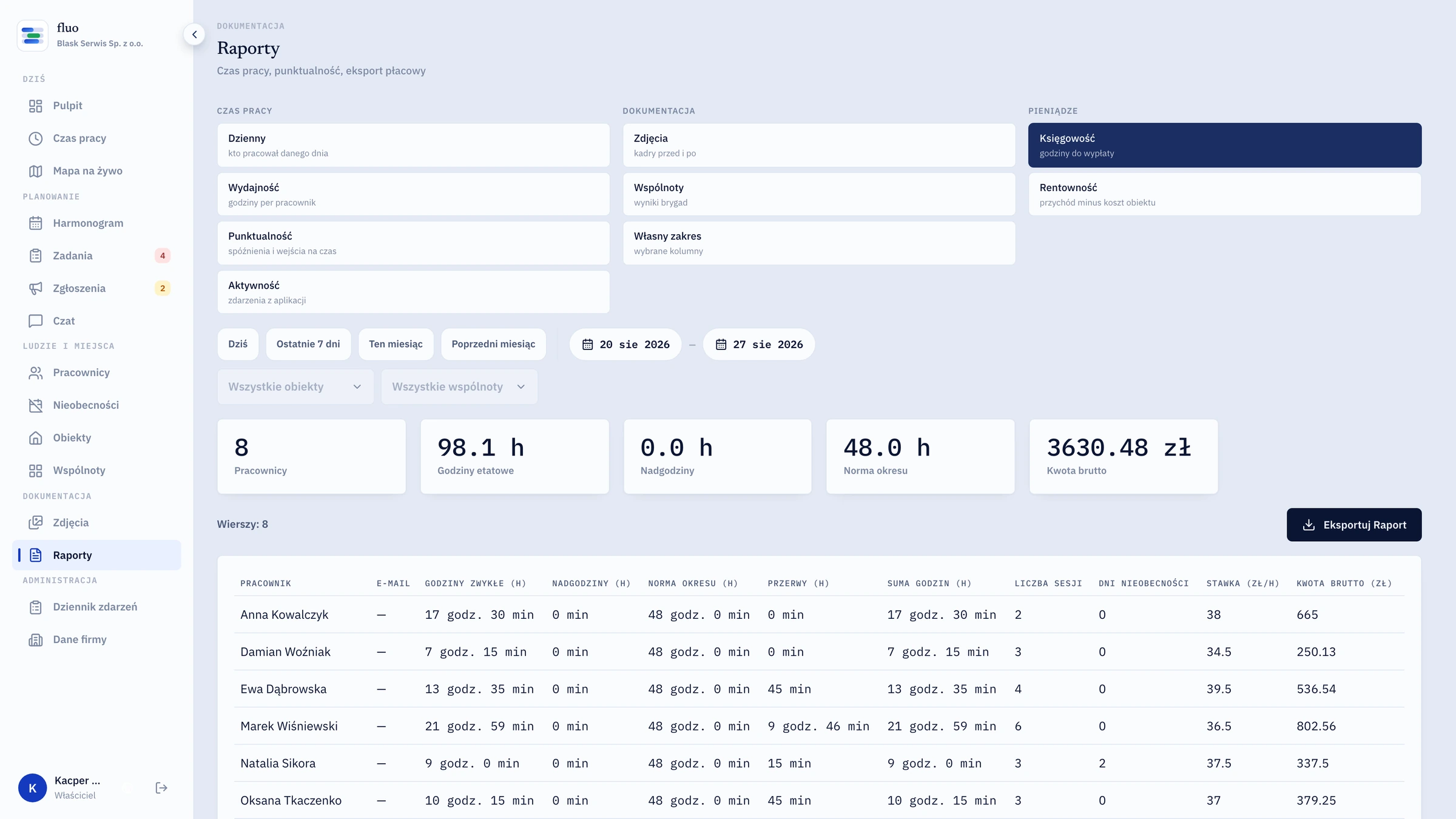
PDF / CSV / XLSX reports
Client portal
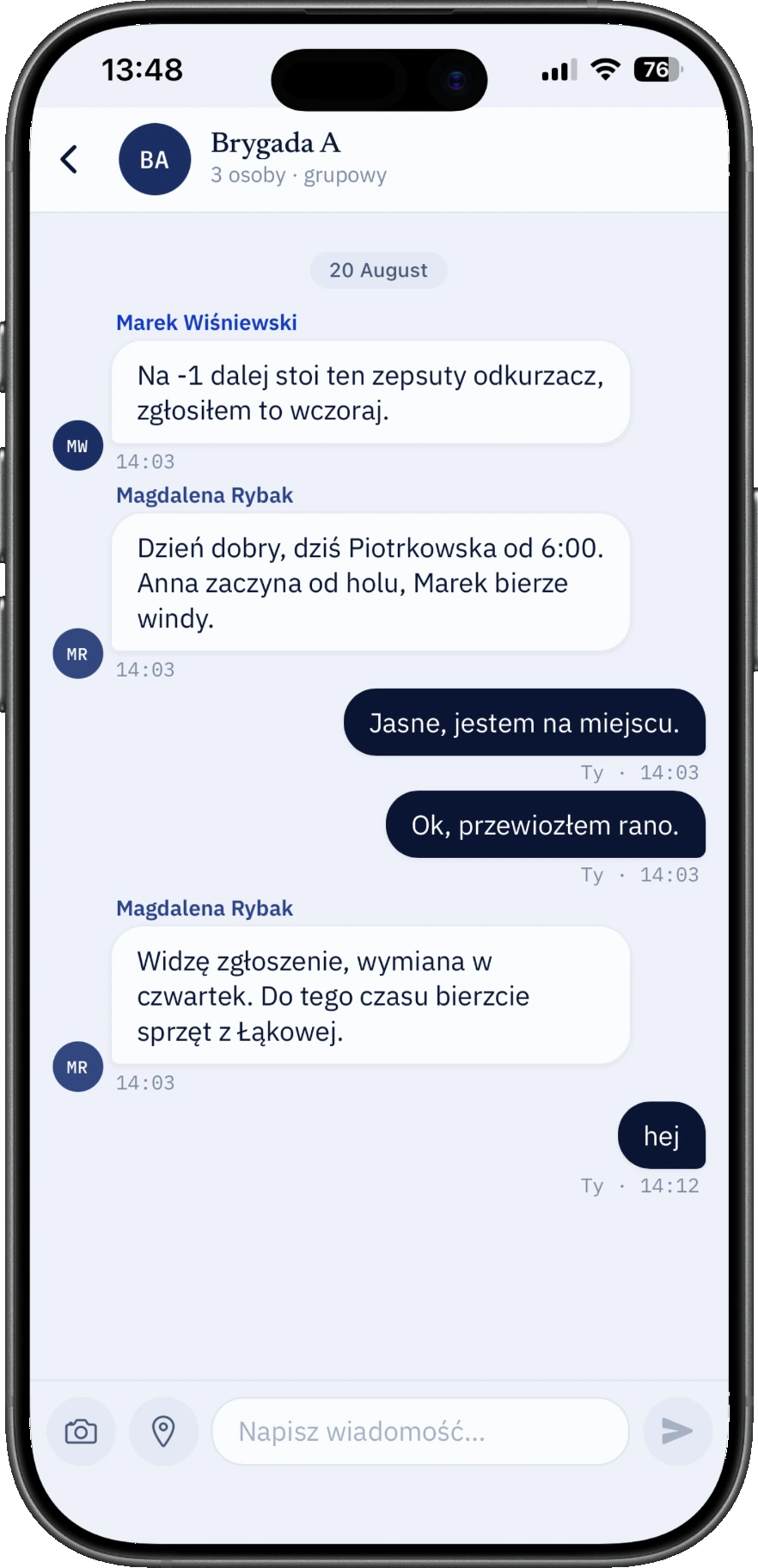
Chat
Supply stock
Absences
Push notifications
QR code login
Time tracking
Live map
Scheduling
Photo-proof tasks
Lone-worker safety & SOS
Geofence presence
Flexible shifts
Issue reports
PDF / CSV / XLSX reports
Client portal
Chat
Supply stock
Absences
Push notifications
QR code login
Time tracking, Live map, Scheduling, Photo-proof tasks, Lone-worker safety & SOS, Geofence presence, Flexible shifts, Issue reports, PDF / CSV / XLSX reports, Client portal, Chat, Supply stock, Absences, Push notifications, QR code login
Instead of that
Six channels collapse into one entry
fluo is not a seventh place to type into. You stop needing the six you have.
Today the company runs from six places
Calls: “are you there yet?”10 × a day
WhatsApp photos from sitegone in 3 weeks
Hours in a spreadsheet2 evenings a month
Paper notes and texts from foremenretyped by hand
A drive out just to check45 minutes and fuel
A client report in Wordfrom scratch, monthly
From tomorrow
One entry in the register
Time — from the phone, by itself.
Place — from GPS, by itself.
Proof — a camera photo, by itself.
The client report — from that same entry, in one click.
What changes
Three things you stop doing tomorrow
Your crew simply works. The rest records itself in the background.
No more calling to ask “are you there yet?”.
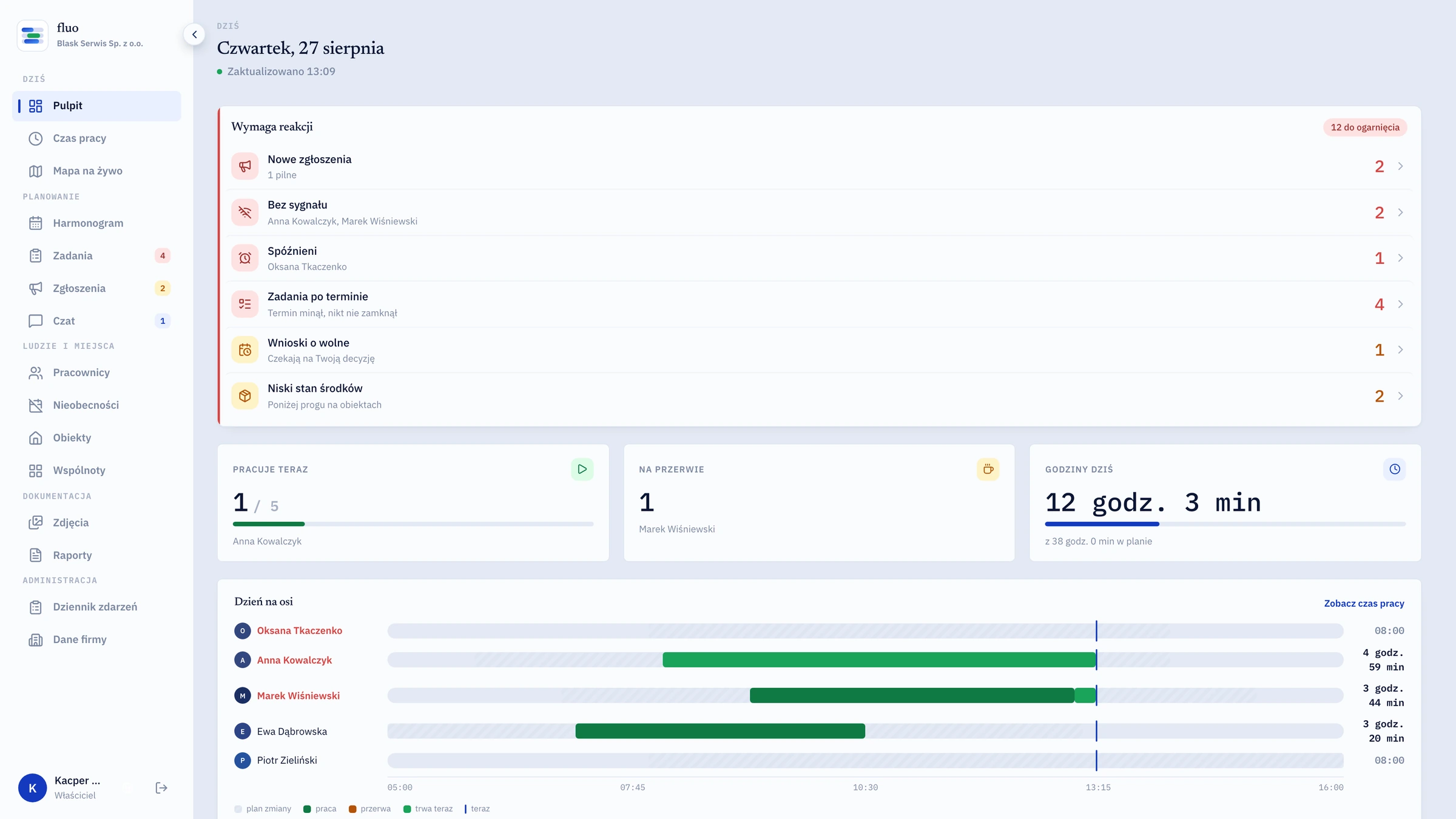
Open the panel and the day is there: who started, who hasn't, who is on a break and which site they are on.
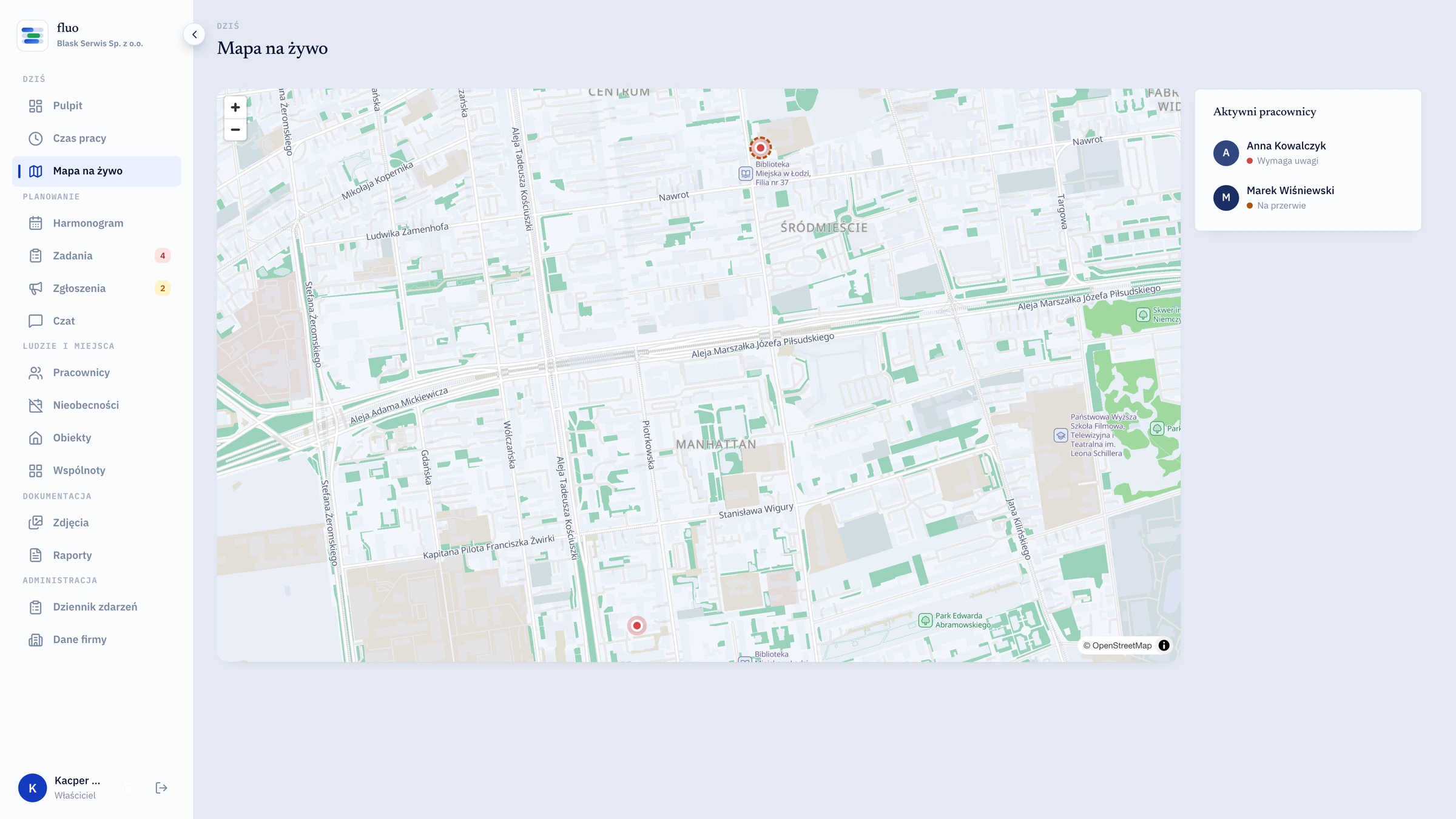
A map with every started shift on it
Geofence presence: the phone knows when the worker arrives on site
Day timeline: planned versus actual, worker by worker
Anyone due to start and missing is flagged after ten minutes
every 30s
position refreshed during a shift
How it works
Four steps. Your crew doesn't need to be good with computers.
The system carries the weight. The worker gets one big button on their phone.
day 0
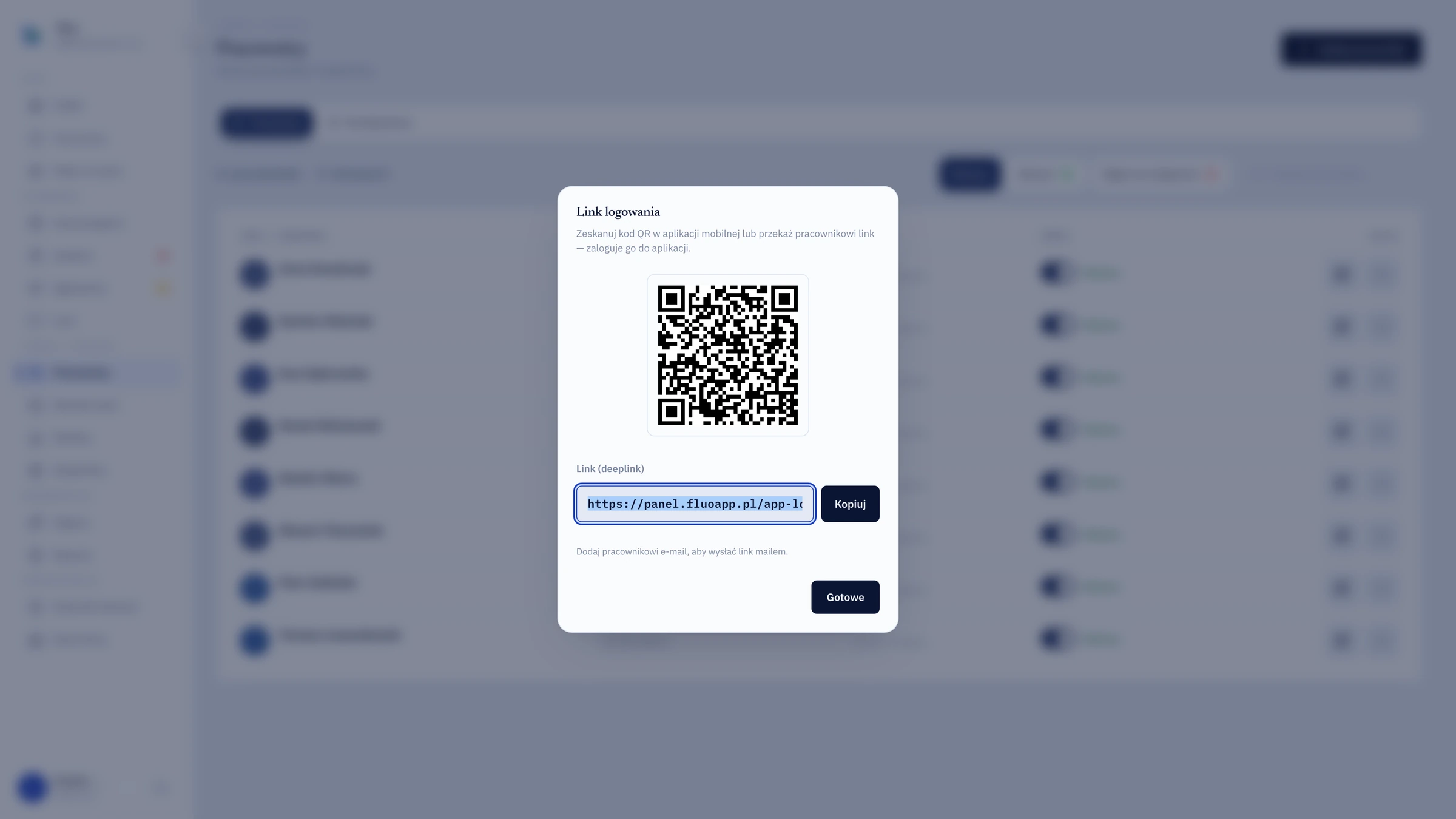
They scan a QR code or click a link
Instead of a login and a password nobody remembers. The coordinator shows a code on site or emails a link — one tap and the account works. Revoking it cuts access instantly.
06:41
They press “Start”
Before leaving home they can see which site they're going to and what needs doing there. The button gets pressed on arrival — only then do time and position start being recorded.
07:02
They work and take photos
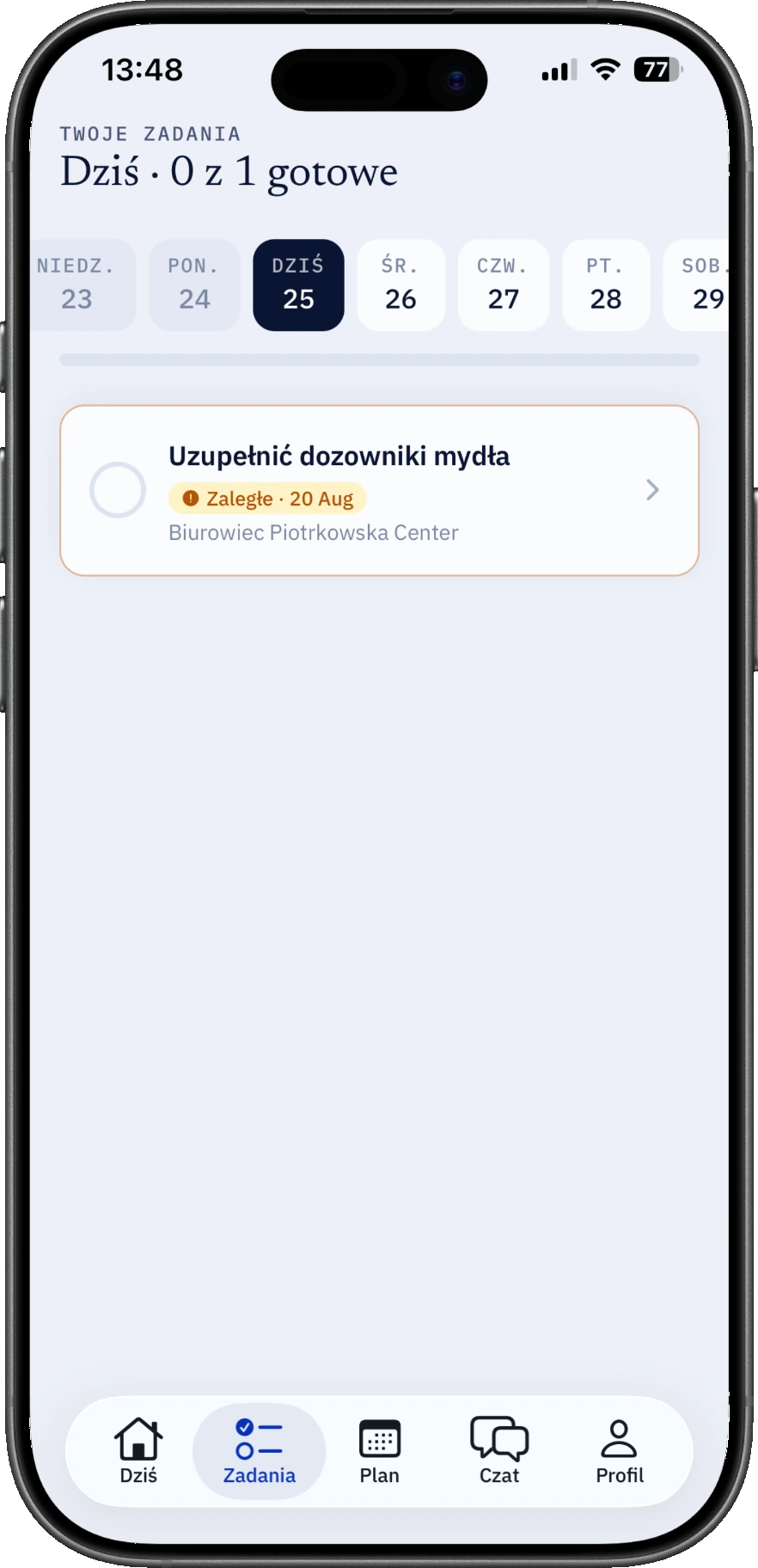
Tick tasks off the list, attach a photo, get back to work. It works with no signal too — the data catches up when the network returns.
14:07
You get the finished report
Hours, route, photos and tasks assembled into one document. Email it to the client or give them a link to their own view.
Access1 / 4
day 0
They scan a QR code or click a link
Instead of a login and a password nobody remembers. The coordinator shows a code on site or emails a link — one tap and the account works. Revoking it cuts access instantly.
06:41
They press “Start”
Before leaving home they can see which site they're going to and what needs doing there. The button gets pressed on arrival — only then do time and position start being recorded.
07:02
They work and take photos
Tick tasks off the list, attach a photo, get back to work. It works with no signal too — the data catches up when the network returns.
14:07
You get the finished report
Hours, route, photos and tasks assembled into one document. Email it to the client or give them a link to their own view.
Industries
Ten industries. One problem: the work happens away from the office.
Cleaning services
Offices, retail, residential blocks. Billed on photo documentation, not on trust.
labour hour / site
Security services
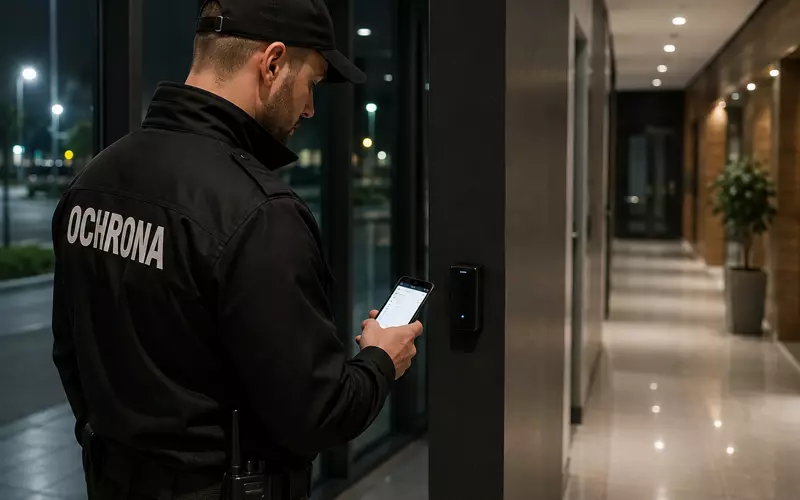
A patrol with proof: who, when, which checkpoints. A register instead of a duty book.
patrol / labour hour
Public sector and municipal services
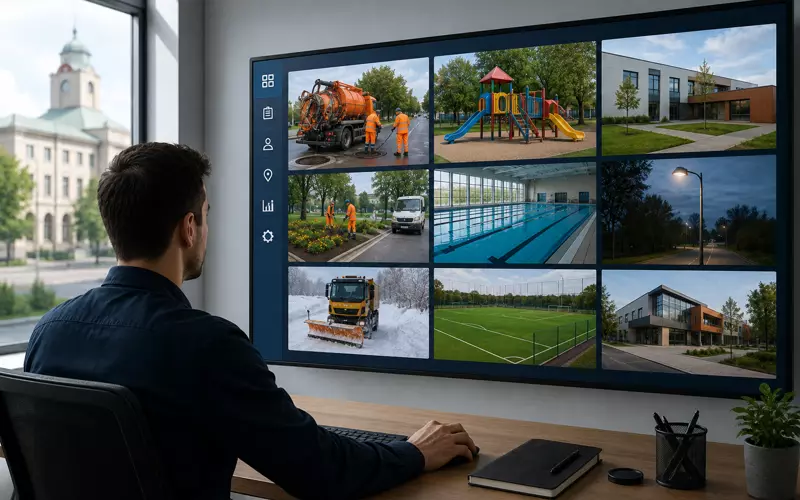
Councils, municipal companies, sports and culture venues. One panel showing what public money actually paid for.
work order / site
Facility services
Inspections and faults pinned to a site, with a history you can still read a year later.
work order / retainer
Field service engineering
HVAC, refrigeration, controls. A visit with travel time, scope and a completion photo.
visit + materials
Renewables and energy installations
Solar, heat pumps, PV farm servicing. Crews across several sites at once.
installation / labour hour
Construction and fit-out
Who is on which site today and how many hours actually landed on each contract.
labour hour / contract
Staffing and outsourcing
People on a client's premises. The portal gives them visibility without calling you.
labour hour / contract
Grounds maintenance
Landscaping, snow clearing, seasonal and night work. Billed from hours and routes.
callout / m²
Waste management
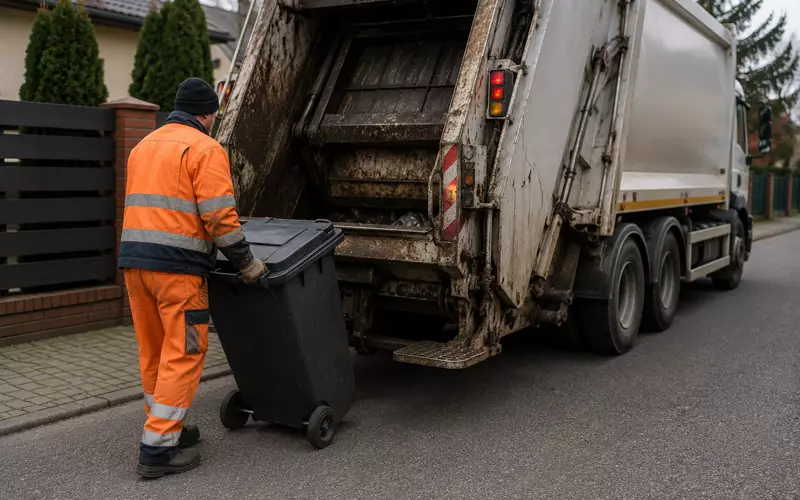
The route, a photo confirming collection, the time on site. No more “they never came”.
collection / route
Your trade not on the list? If you invoice someone for your people's time, the rest still applies.
Calculator
Work out what having no system costs you
Move the sliders to match your company. We only count hours you can realistically get back: chasing people, check-up drives, manual payroll and hours nobody can confirm.
That's what's left on the table
2404 zł
per month · 28 848 zł per year
46.2 h — hours a month you could get back
Calls and chasing1310 zł20.2 h
Check-up drives219 zł3.4 h
Manual payroll299 zł4.6 h
Unverifiable hours576 zł18 h
fluo for this company
348 zł/per month
6.9×
how many times the recovered cost exceeds the subscription
This is an estimate, not a promise. The assumptions are deliberately conservative and listed above — plug in your own numbers if they differ.
These are real screenshots from fluo, not mockups. Pick a tab to see the screen.
panel-dev.fluoapp.pl · Dashboard
The whole day on one screen
The dashboard opens with what needs your decision — late starts, overdue tasks, time-off requests, supplies running out. Everything else is a view, not work.
An inbox sorted by urgency
Day timeline: the plan against the actual work
Who has no plan today, who is on a break
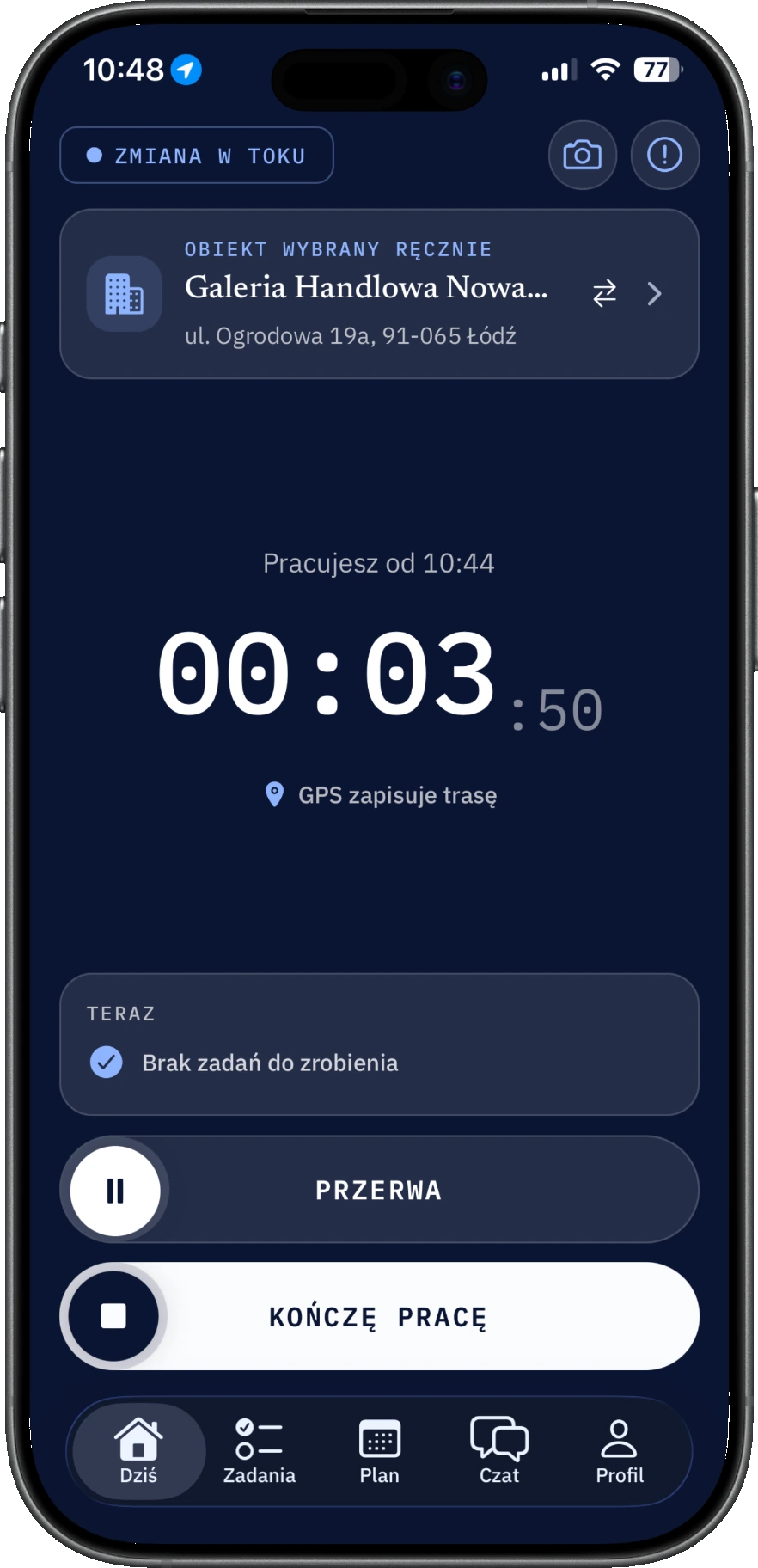
The worker app
One button. Everything else happens by itself.
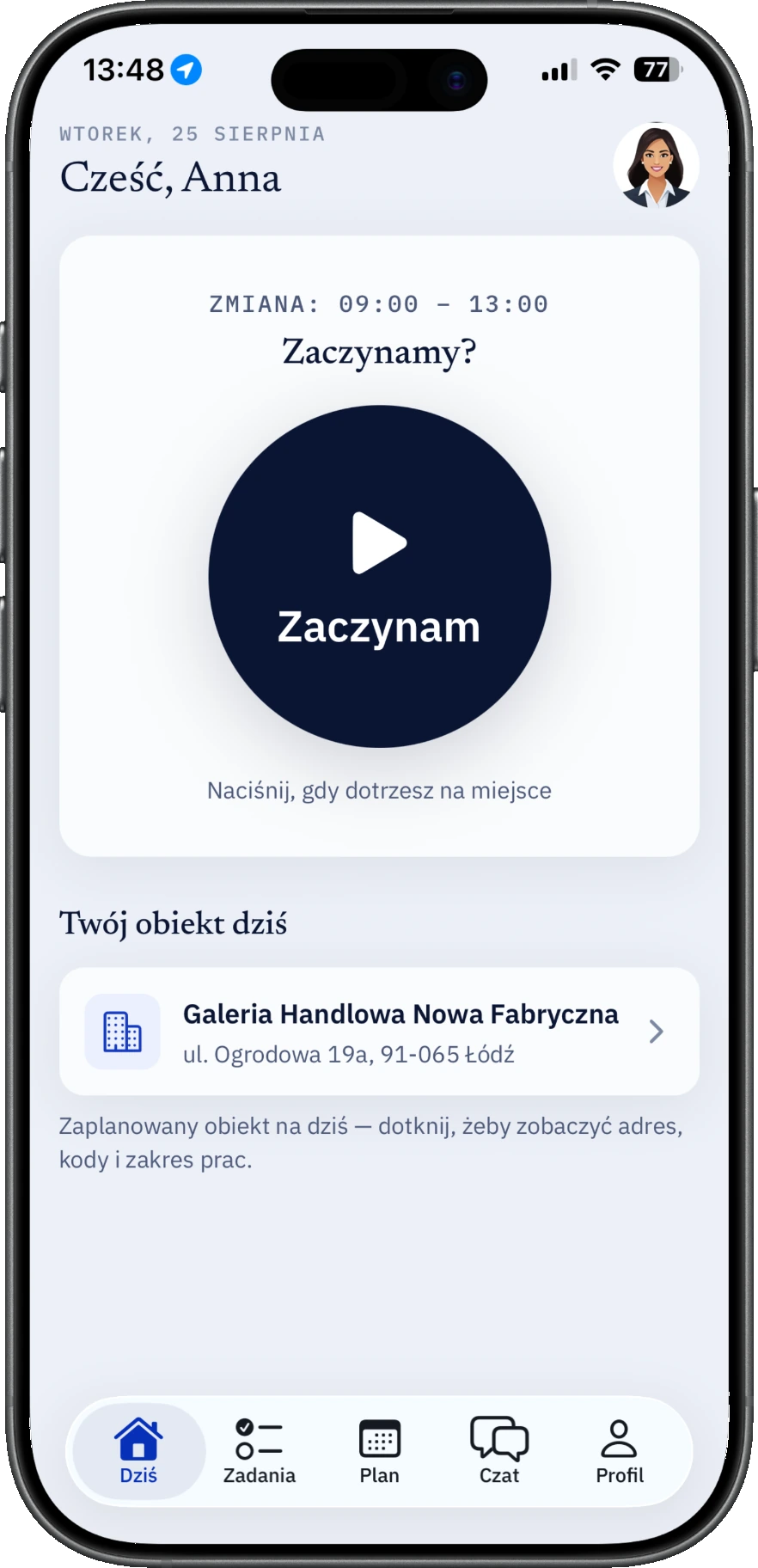
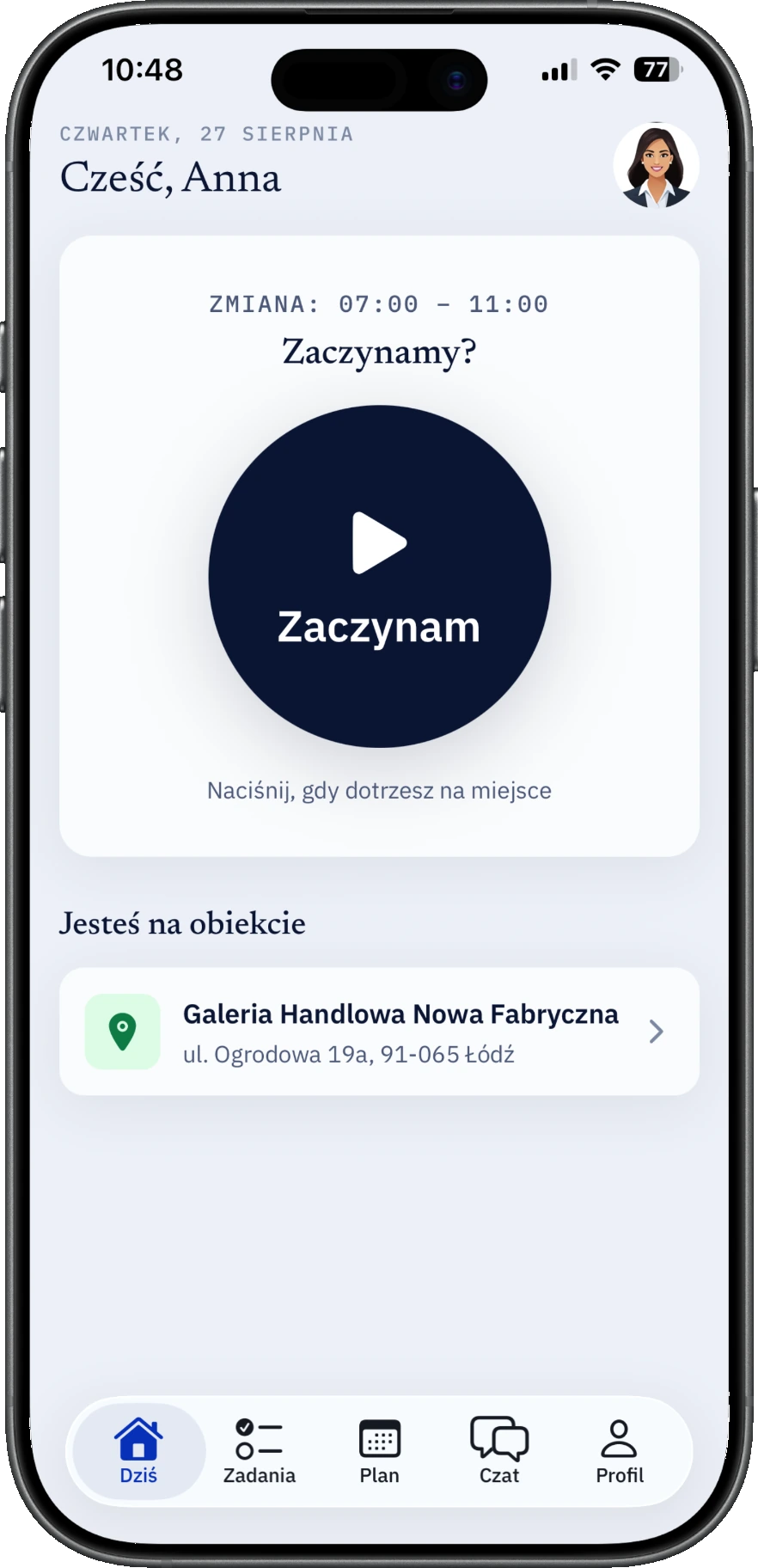
The home screen fits in a single glance: which shift, which site, and what to press. The app speaks Polish, Ukrainian and English.
Before the shift: where to go, when, and one button
Start and stop
Two states, no settings. The home screen shows which site to drive to today.
Lone-worker safety & SOS
Confidence on solitary shifts. The SOS slider transmits GPS position in seconds, and periodic check-in alerts the office if a worker does not respond.
Geofence presence
The app detects when workers step on site. It prompts shift start on arrival and reminds about the report before leaving.
Works without signal
In a basement, a lift, an underground car park. Events and photos wait on the phone and send themselves later.
Photo as proof
The camera lives inside the task. The photo already knows which site and task it belongs to.
Site base checklist
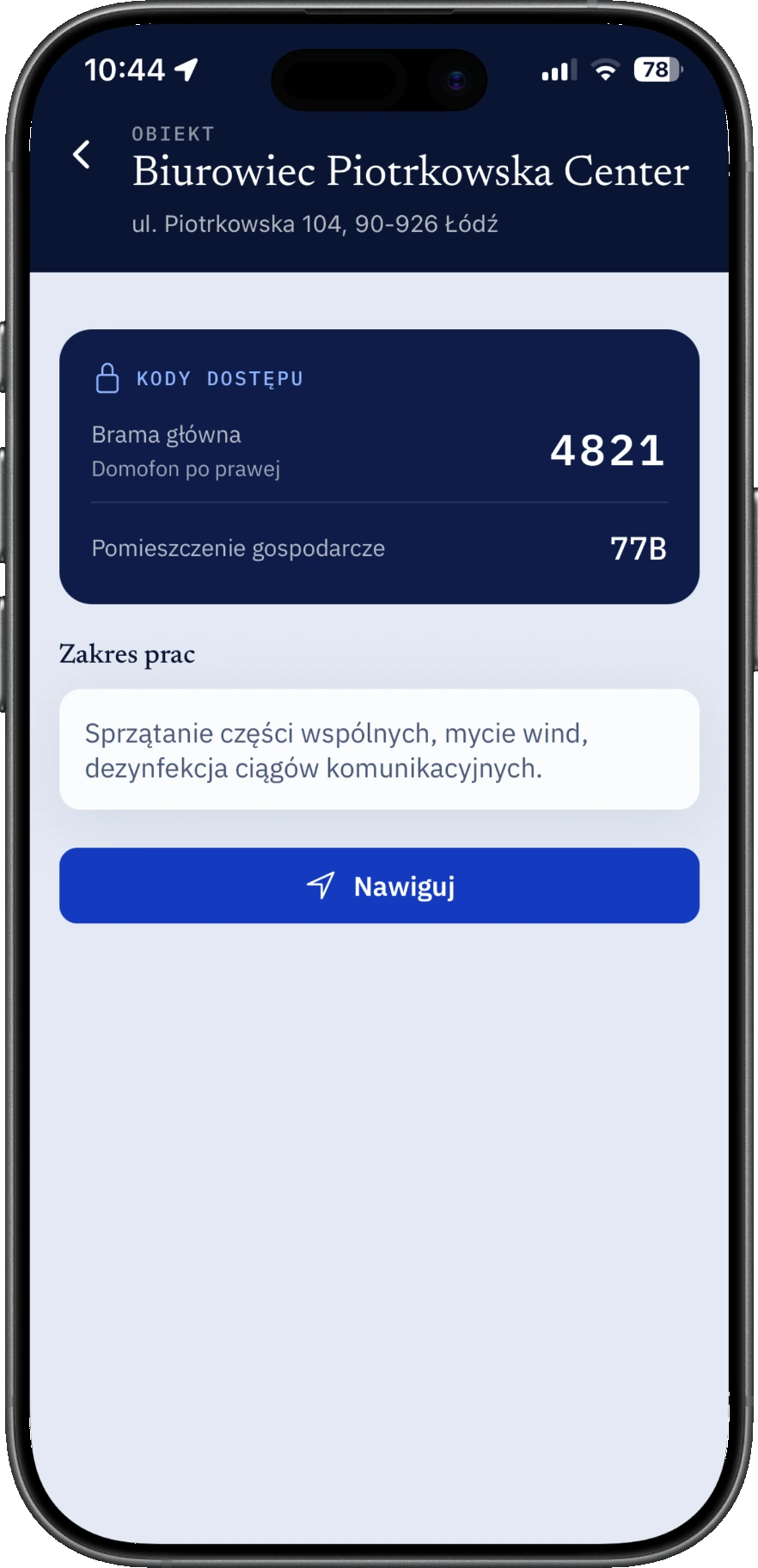
Standing work scopes and checklists pinned permanently to the site, always accessible alongside one-off tasks.
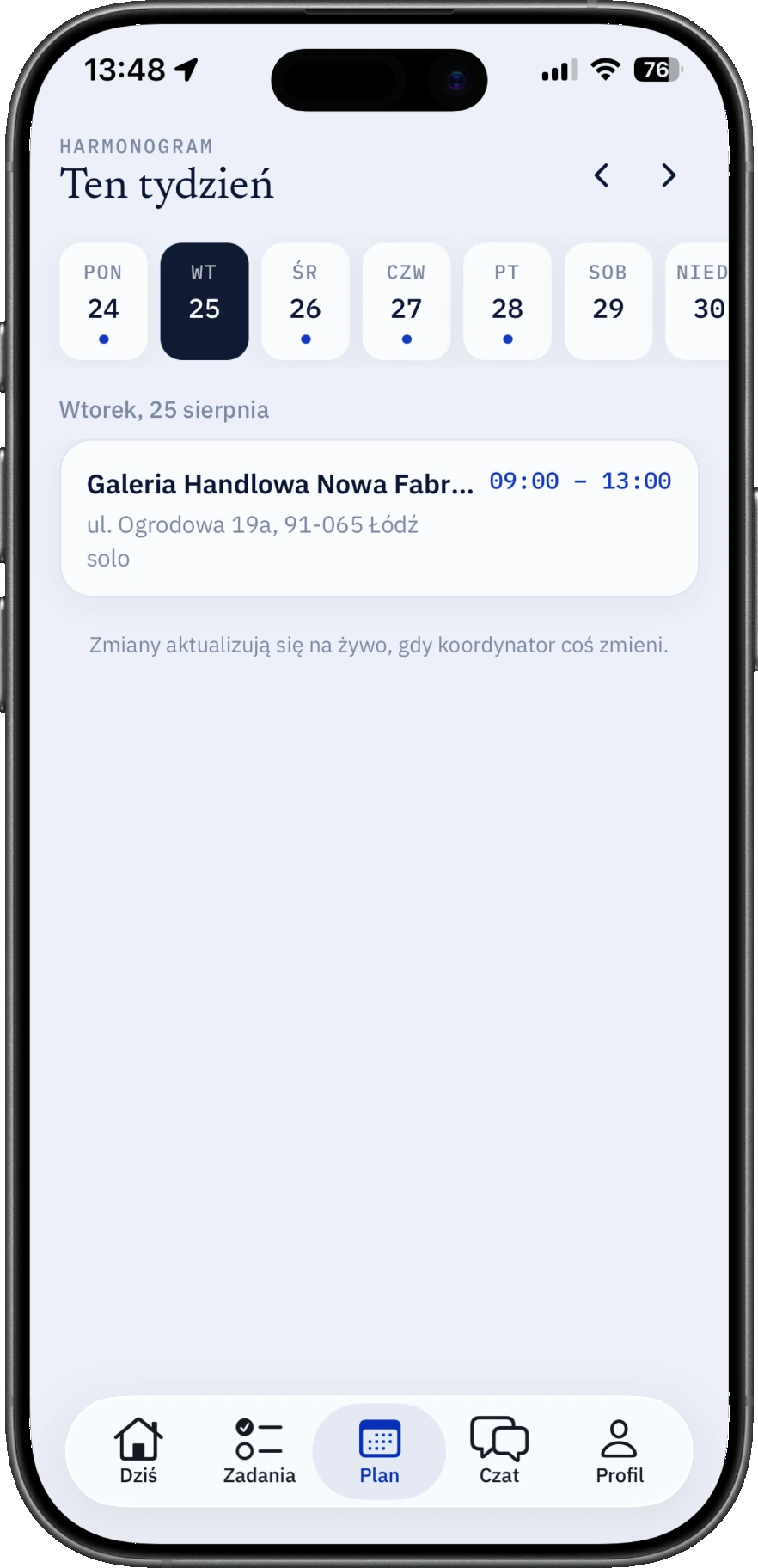
Weekly and monthly schedule
Week view and a full monthly calendar grid. Workers review upcoming shifts, leave, and total logged hours.
Time-off requests
From the phone. Approving one automatically clears those shifts off the rota.
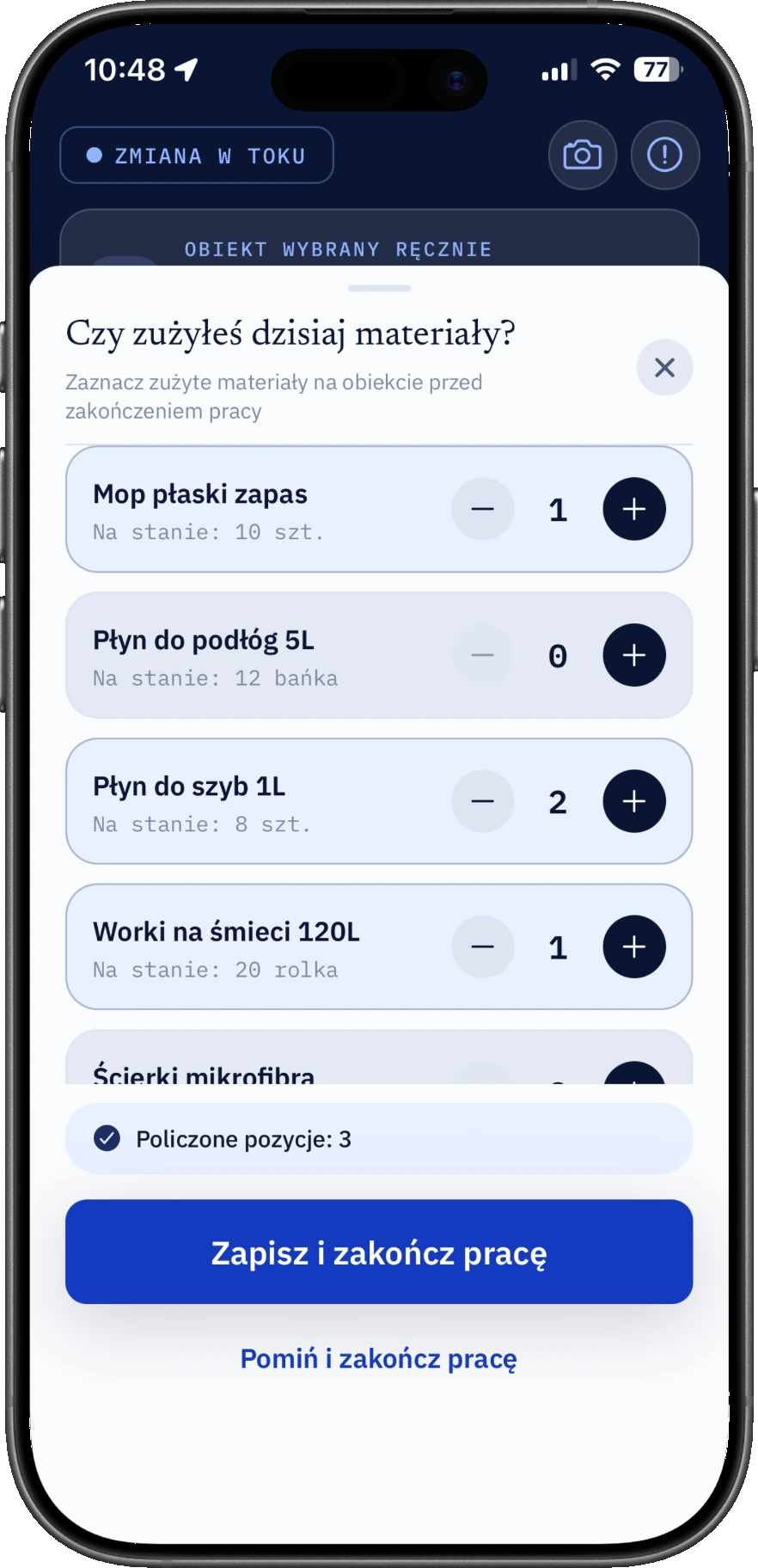
Supply usage
At clock-out the worker taps plus and minus for what they used. Site stock drops by itself.
Cover in one tap
The request goes to several people at once. Whoever accepts first takes the shift; the rest disappear.
Android and iOS. Available on Google Play and the App Store.
What the client gets
On Monday morning the building manager checks for themselves
You are not buying a dashboard. You are buying the document you send the client without editing, and the link that stops them calling.
No account, no password
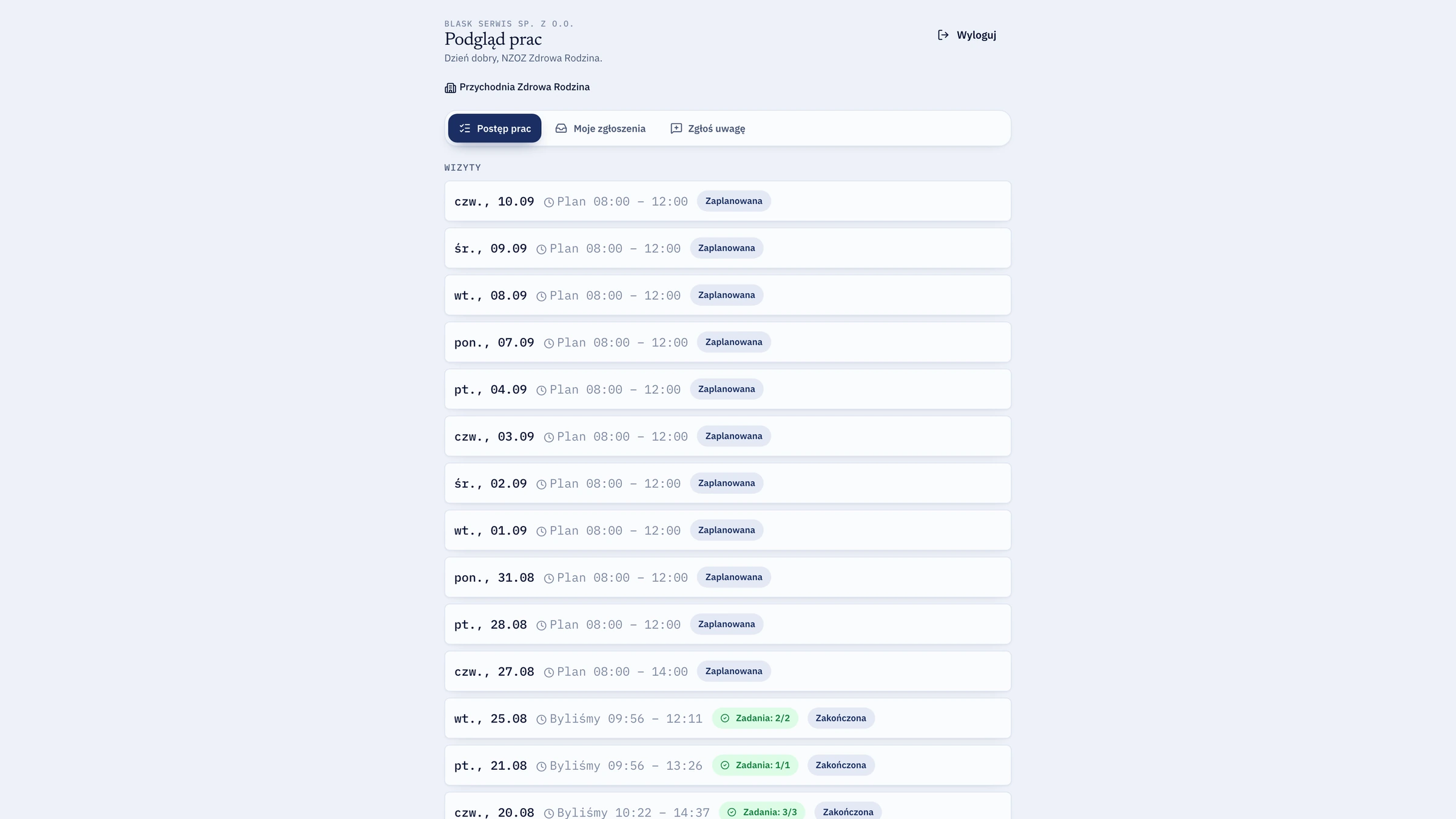
A secure link by email. The manager clicks and sees their own sites — nothing beyond them.
Complaints about facts, not impressions
“Nobody turned up” ends at an arrival time and a photo from that day.
Leverage when rates are negotiated
You show how many hours the site actually takes instead of arguing about it.
panel-dev.fluoapp.pl/client
The client's view: work done and photos, with none of your costs or rates
Why us
Because this wasn't designed in a meeting room
fluo is built inside a working cleaning company and deployed on its sites — which is why every feature came from a specific day when something went wrong, rather than from a wish list. Work outside an office looks much the same in any trade.
The phone is the source of truth
Event times and positions come from the worker's phone, not the server clock. The server never overwrites them, even when data arrives late.
Designed around no signal
Basements and stairwells are the norm, not the exception. That's why the offline queue is the foundation rather than an afterthought.
The data stays with the company
Work history, photos and chats belong to the company, not to a private phone. When someone leaves, the documentation doesn't leave with them.
Built for GDPR
Location only during a shift, chat encrypted at rest, a full audit trail of data access. Servers in the European Union.
Proof that can't be faked
Documentation photos can only be taken with the camera on site — the phone gallery is blocked. A task that requires a photo won't close without one, and the server enforces it too.
A timer that can't run away
One open shift per person, double-start blocked, and a forgotten shift capped at thirteen hours. Nobody bills you for a full day of work by accident.
Pricing
You pay per active worker. Nothing else.
Crew and Company come with no setup fee and no two-year contract. When someone leaves, you stop paying for them from the next period.
5–20 people, one coordinator
Crew
You see who is working today and how many hours really went in.
Usually yes, because it works in their favour too. Location is collected only during an active shift and stops the second the worker presses “Stop”. They can see their own hours, so they stop being the weaker side in a payday dispute. Formally you need to inform them about the processing — we hand you a template clause during onboarding.
What if there's no signal on site?
The app keeps working. Shift starts, photos, closed tasks and route points are stored on the phone and sent automatically once the network returns. The recorded time stays the real one — the moment the button was pressed, not the moment it uploaded.
Does it work on old phones?
Yes. The app is light and deliberately simple — one big button on the home screen. It runs on Android and iPhone, including hardware that's several years old.
How long does onboarding take?
Day one: we create your company, load your sites and workers and generate QR codes. Day two: the crew starts working in the app. Scheduling and reports can follow at your own pace.
Can I bring data over from a spreadsheet?
There is no automatic import — workers and sites are added in the panel by hand. For a dozen people and a handful of sites that is one afternoon, and along the way you set entry codes and scopes of work that were never in the spreadsheet anyway. We don't backfill historical hours: from launch day, what the system records is what counts.
Who can see a worker's location?
Only the owner and coordinators of your company. Clients using the portal see neither position nor route — they get completed work and photos. Workers see only their own history.
Where is the data stored?
On servers in the European Union. Chat is encrypted at rest, photos live in separate object storage, and every access to data leaves an entry in the audit log.
Can I cancel any time?
Yes. Monthly billing ends with the paid period, with no notice period. Before closing your account you export all of your data in PDF, XLSX and CSV.
Who exactly am I paying for?
Active worker accounts in a given month. Coordinator accounts and your own are free. Disabling the account of someone who left reduces the bill from the next period.
Does fluo support lone workers or night shifts?
Yes. fluo includes dedicated lone-worker safety features. During an active shift, workers have an instant SOS slider that dispatches their GPS position and raises an urgent alarm with audible alerts in the coordinator panel. The system can also enforce periodic safety check-ins (dead-man switch) at preset intervals — if a worker misses a check-in, coordinators receive an immediate critical alert with the worker's location on the map.
Do shifts have to follow rigid hours, or can we use flexible scheduling?
fluo handles both fixed shift schedules and flexible working windows. If a job only needs to be completed sometime during the day without strict start and end times, the worker begins whenever appropriate — the system tracks exact time on site without triggering false tardiness alerts.
Does fluo fit my industry?
If your people work outside an office, on someone else's premises, and you have to account for it — it fits. Cleaning, security and patrols, facility maintenance, groundskeeping and snow clearing, field service and installations, construction crews. fluo does not pretend to know your trade; it tracks time, place, tasks and proof, and those look the same everywhere.
AI summary
Would you rather ask an AI?
One click hands your assistant a ready-made question about fluo, so it can check for itself whether this fits your company.